

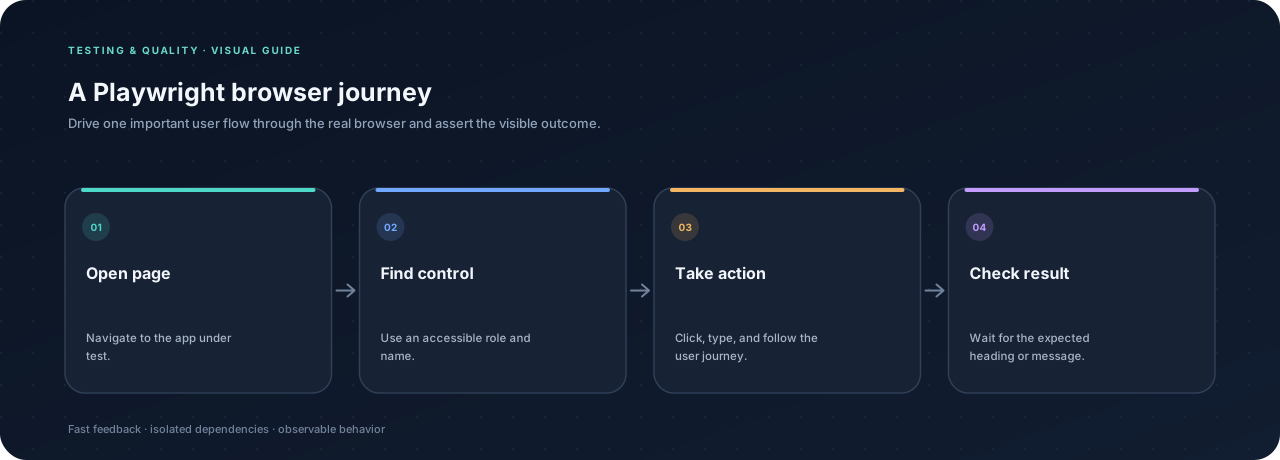
An end-to-end test checks a complete user journey through the running application. Playwright launches a real browser, interacts with the page, and asserts on what appears. Use this layer for a small number of important flows, not every possible input combination.
Install Playwright #
For a JavaScript project, initialize Playwright with its test runner:
npm init playwright@latest
The setup creates a test directory and configuration. Pick the browser engines that match your support needs and use the local web server option when the app can start from a command.
Test a user-visible journey #
import { test, expect } from "@playwright/test";

test("a visitor can find a published article", async ({ page }) => {
  await page.goto("/");
  await page.getByRole("link", { name: /articles/i }).click();
  await page.getByRole("link", { name: /testing pyramid/i }).click();

  await expect(page.getByRole("heading", { name: /testing pyramid/i }))
    .toBeVisible();
});
Role and accessible-name locators express how a person finds controls. They tend to survive visual refactors better than selectors tied to styling classes.
Wait for conditions, not arbitrary time #
Playwright automatically waits for many locator actions and assertions. Prefer await expect(locator).toBeVisible() over fixed sleeps. If a journey needs data, seed a known test account or use a test-only setup endpoint rather than depending on public production content that may change.
Keep the suite dependable #
- Give each test its own data so tests can run in parallel.
- Avoid depending on another test’s result or execution order.
- Stub only unstable third-party boundaries; keep the app behavior under test real.
- Capture traces or screenshots on failure to help diagnose CI issues.
- Keep the browser suite focused on high-value flows; cover detailed edge cases lower in the pyramid.
Run the suite locally before relying on it in CI. A failing browser test should give enough context to distinguish an application regression from an unavailable test dependency.