

TypeScript Types Cheat Sheet #
TypeScript brings static typing to JavaScript, enabling early error detection and improved code maintainability. This cheat sheet provides a quick reference to commonly used TypeScript types and features.
1. Primitive Types #
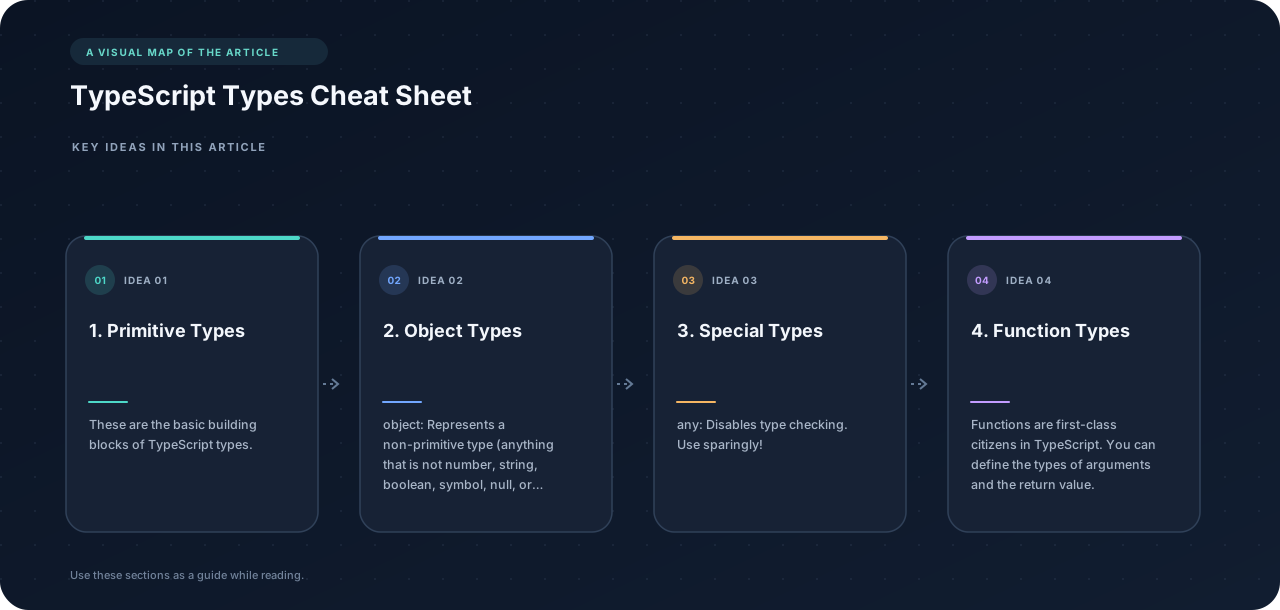
These are the basic building blocks of TypeScript types.
-
boolean: Represents true or false values.let isDone: boolean = false; -
number: Represents numeric values, including integers and floating-point numbers.let decimal: number = 6; let hex: number = 0xf00d; let binary: number = 0b1010; let octal: number = 0o744; -
string: Represents sequences of characters.let color: string = "blue"; color = 'red'; let fullName: string = `Bob Bobbington`; // Template strings -
nullandundefined: Represent intentional absence of value. Note: WhenstrictNullChecksis enabled,nullandundefinedare only assignable to themselves andany(the exception being thatundefinedis always assignable tovoid).let u: undefined = undefined; let n: null = null; -
symbol(Introduced in ES2015): Represents a unique and immutable value, often used as object property keys.const sym1 = Symbol(); const sym2 = Symbol("key"); // Optional string key -
bigint(Introduced in ES2020): Represents integers larger than theNumber.MAX_SAFE_INTEGER.const bigIntLiteral: bigint = 100n; const bigIntFromNumber: bigint = BigInt(100);
2. Object Types #
-
object: Represents a non-primitive type (anything that is notnumber,string,boolean,symbol,null, orundefined).const obj: object = { name: "John", age: 30 }; -
Array<T>orT[]: Represents an array of elements of typeT.let list: number[] = [1, 2, 3]; let list2: Array<number> = [1, 2, 3]; -
Tuple: Represents an array with a fixed number of elements, each with a known type.let x: [string, number]; x = ["hello", 10]; // OK // x = [10, "hello"]; // Error - Incorrect type order -
Enum: A way of giving more friendly names to sets of numeric values.enum Color { Red, Green, Blue, } let c: Color = Color.Green; // c is 1 -
Interface: A powerful way of defining contracts for objects. They specify the properties an object must have.interface Person { firstName: string; lastName: string; age?: number; // Optional property greet: () => string; // Method } let user: Person = { firstName: "John", lastName: "Doe", greet: () => "Hello!", }; -
Type Alias: Creates a new name for a type. Often used for complex types.type Point = { x: number; y: number; }; let p: Point = { x: 10, y: 20 };
3. Special Types #
-
any: Disables type checking. Use sparingly!let notSure: any = 4; notSure = "maybe a string instead"; notSure = false; // okay, definitely a boolean -
void: Represents the absence of a return value in a function.function warnUser(): void { console.log("This is a warning message"); } -
never: Represents a type that never occurs. Used for functions that always throw an error or never return.function error(message: string): never { throw new Error(message); } // Inferred return type is never function fail() { return error("Something failed"); } // Function returning never must have unreachable end point function infiniteLoop(): never { while (true) {} } -
unknown: Represents any value, similar toany, but requires type assertions or narrowing before use. It’s a type-safe counterpart toany.let notKnown: unknown = "hello"; //console.log(notKnown.length); // Error: Object is of type 'unknown'. if (typeof notKnown === "string") { console.log(notKnown.length); // OK }
4. Function Types #
Functions are first-class citizens in TypeScript. You can define the types of arguments and the return value.
function add(x: number, y: number): number {
  return x + y;
}

let myAdd: (x: number, y: number) => number = function(x: number, y: number): number {
  return x + y;
};
5. Union and Intersection Types #
-
Union Types (
|): Allows a variable to hold values of different types.let val: string | number; val = "Hello"; val = 123; // val = true; // Error: Type 'boolean' is not assignable to type 'string | number'. -
Intersection Types (
&): Combines multiple types into one. The resulting type has all the properties of the constituent types.interface Colorful { color: string; } interface Circle { radius: number; } type ColorfulCircle = Colorful & Circle; const cc: ColorfulCircle = { color: "red", radius: 42, };
6. Literal Types #
Allows specifying the exact value a variable can have.
type Easing = "ease-in" | "ease-out" | "ease-in-out";

function animate(easing: Easing): void {
  console.log(`Animating with ${easing}`);
}

animate("ease-in"); // OK
//animate("uneasy"); // Error: Argument of type '"uneasy"' is not assignable to parameter of type '"ease-in" | "ease-out" | "ease-in-out"'.
7. Utility Types #
TypeScript provides several utility types to facilitate common type transformations. These are globally available.
-
Partial<T>: Makes all properties ofToptional.interface Todo { title: string; description: string; } function updateTodo(todo: Todo, fieldsToUpdate: Partial<Todo>) { return { ...todo, ...fieldsToUpdate }; } const todo1: Todo = { title: "Organize desk", description: "Clear clutter", }; const todo2 = updateTodo(todo1, { description: "Throw out trash" }); -
Required<T>: Makes all properties ofTrequired.interface Props { a?: number; b?: string; } const obj: Props = { a: 5 }; const obj2: Required<Props> = { a: 5, b: "test" }; -
Readonly<T>: Makes all properties ofTreadonly.interface Todo { title: string; } const todo: Readonly<Todo> = { title: "Delete inactive users", }; // todo.title = "Hello"; // Error: Cannot assign to 'title' because it is a read-only property. -
Record<K, T>: Constructs an object type whose property keys areKand whose property values areT.Kcan be a union of literal types (string, number, or symbol).type Animals = "dog" | "cat" | "elephant"; const numberOfLegs: Record<Animals, number> = { dog: 4, cat: 4, elephant: 4, }; -
Pick<T, K>: Selects a set of propertiesKfromT.Kis a union of string literal types.interface Todo { title: string; description: string; completed: boolean; } type TodoPreview = Pick<Todo, "title" | "completed">; const todo: TodoPreview = { title: "Clean room", completed: false, }; -
Omit<T, K>: Removes a set of propertiesKfromT.Kis a union of string literal types.interface Todo { title: string; description: string; completed: boolean; } type TodoPreview = Omit<Todo, "description">; const todo: TodoPreview = { title: "Clean room", completed: false, }; -
Exclude<T, U>: Excludes fromTall elements that are assignable toU.type T0 = Exclude<"a" | "b" | "c", "a">; // "b" | "c" type T1 = Exclude<"a" | "b" | "c", "a" | "b">; // "c" -
Extract<T, U>: Extracts fromTall elements that are assignable toU.type T0 = Extract<"a" | "b" | "c", "a" | "f">; // "a" type T1 = Extract<string | number | (() => void), Function>; // () => void -
NonNullable<T>: ExcludesnullandundefinedfromT.type T0 = NonNullable<string | null | undefined>; // string -
Parameters<T>: Obtains the parameter types of a function typeTin a tuple.type T0 = Parameters<() => string>; // [] type T1 = Parameters<(s: string) => void>; // [string] type T2 = Parameters<<T>(arg: T) => T>; // [unknown] -
ReturnType<T>: Obtains the return type of a function typeT.type T0 = ReturnType<() => string>; // string type T1 = ReturnType<(s: string) => void>; // void type T2 = ReturnType<<T>() => T>; // unknown -
InstanceType<T>: Obtains the instance type of a constructor function typeT.class C { x = 0; y = 0; } type T0 = InstanceType<typeof C>; // C
8. Advanced Types #
-
Mapped Types: Allows you to create new types based on existing types by transforming each property.
type Keys = "option1" | "option2"; type ConfigFlags = { [K in Keys]: boolean; }; // Equivalent to: // type ConfigFlags = { // option1: boolean; // option2: boolean; // }; -
Conditional Types: Allow you to define types based on a condition.
type IsString<T> = T extends string ? true : false; type T0 = IsString<string>; // true type T1 = IsString<number>; // false //Example using infer type ReturnTypeInfer<T> = T extends (...args: any[]) => infer R ? R : any; function stringFunction():string { return "hello" } type stringFunctionReturnType = ReturnTypeInfer<typeof stringFunction>; // string -
Type Inference: TypeScript can often infer the type of a variable based on its value.
let message = "Hello, world!"; // TypeScript infers message: string
This cheat sheet provides a foundation for understanding and using TypeScript types effectively. Refer to the official TypeScript documentation for a more comprehensive understanding.