

Migrating JavaScript to TypeScript: A Comprehensive Guide #
Migrating a JavaScript codebase to TypeScript can significantly improve code quality, maintainability, and scalability. TypeScript’s static typing helps catch errors early, provides better tooling support, and enables easier refactoring. However, a large-scale migration can seem daunting. This guide provides a practical, step-by-step approach to incrementally and safely transition your JavaScript project to TypeScript.
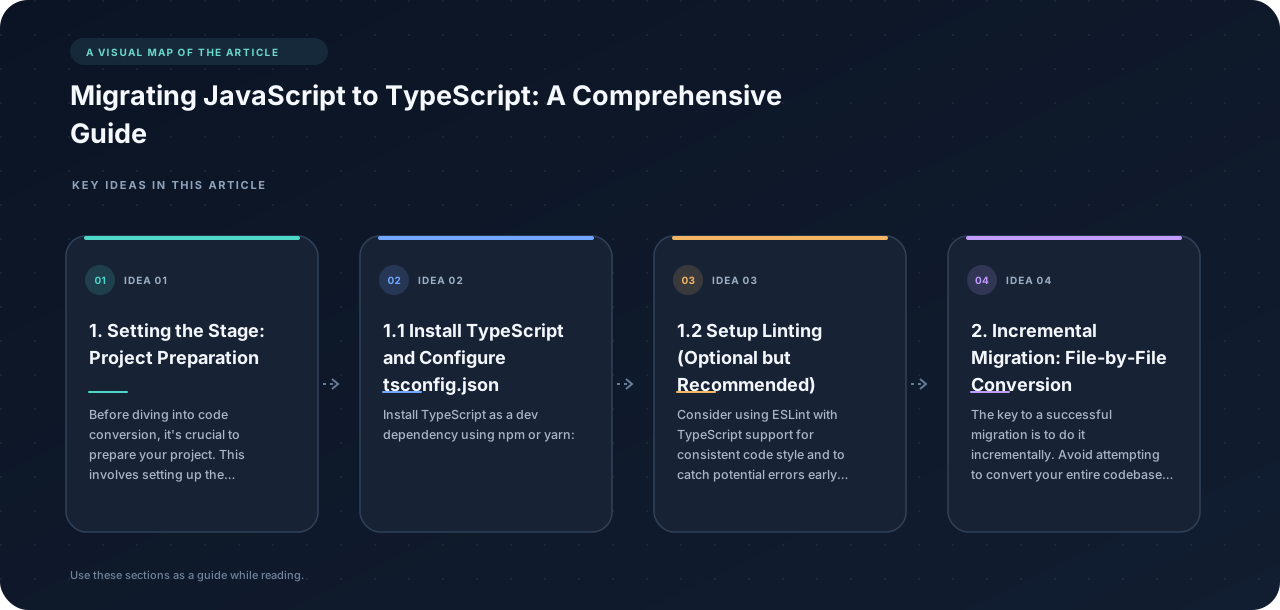
1. Setting the Stage: Project Preparation #
Before diving into code conversion, it’s crucial to prepare your project. This involves setting up the TypeScript compiler and establishing coding conventions.
1.1 Install TypeScript and Configure tsconfig.json
#
Install TypeScript as a dev dependency using npm or yarn:
npm install --save-dev typescript
# or
yarn add --dev typescript
Next, create a tsconfig.json file in the root of your project. This file configures the TypeScript compiler. A basic configuration might look like this:
{
  "compilerOptions": {
    "target": "es5",
    "module": "commonjs",
    "strict": true,
    "esModuleInterop": true,
    "skipLibCheck": true,
    "forceConsistentCasingInFileNames": true,
    "outDir": "dist",
    "sourceMap": true,
    "allowJs": true,
    "checkJs": false,
    "noEmitOnError": true,
    "noImplicitAny": false //Start with this off for easier migration
  },
  "include": ["src/**/*"]
}
Let’s break down some key options:
-
target: Specifies the ECMAScript target version (e.g.,es5,es6,esnext). Choose a version compatible with your target environment. -
module: Defines the module system (e.g.,commonjs,esnext,umd). Use the same module system as your existing JavaScript code. -
strict: Enables all strict type-checking options. While highly recommended for new projects, starting withstrict: falseand gradually enabling individual strict checks can ease the migration process. -
esModuleInterop: Enables interoperability between CommonJS and ES modules. -
skipLibCheck: Skips type checking of declaration files (.d.ts). This can speed up compilation, especially when using large third-party libraries. Consider enabling it during initial migration and disabling it later to catch potential issues in your type definitions. -
forceConsistentCasingInFileNames: Prevents issues caused by inconsistent filename casing across different operating systems. -
outDir: Specifies the output directory for compiled JavaScript files. -
sourceMap: Generates source map files for easier debugging. -
allowJs: Allows TypeScript to compile JavaScript files. This is crucial for incremental migration. -
checkJs: Enables type checking for JavaScript files. Initially, set this tofalse. This will allow you to introduce TypeScript files without immediate type errors from existing JS files. You can then gradually enable this to further improve type safety. -
noEmitOnError: Prevents the compiler from emitting output files if any errors occur. -
noImplicitAny: When set totrue, TypeScript will flag variables with implicitanytypes as errors. Initially, set this tofalseto avoid overwhelming errors. Gradually enable it as you add type annotations. -
include: specifies the files to be included in the compilation.
1.2 Setup Linting (Optional but Recommended) #
Consider using ESLint with TypeScript support for consistent code style and to catch potential errors early. Install the necessary packages:
npm install --save-dev eslint @typescript-eslint/parser @typescript-eslint/eslint-plugin
# or
yarn add --dev eslint @typescript-eslint/parser @typescript-eslint/eslint-plugin
Create an .eslintrc.js file:
module.exports = {
  parser: "@typescript-eslint/parser",
  parserOptions: {
    ecmaVersion: 2018,
    sourceType: "module",
  },
  plugins: ["@typescript-eslint"],
  extends: [
    "eslint:recommended",
    "plugin:@typescript-eslint/recommended",
  ],
  rules: {
    // Add or override rules as needed
  },
};
Configure your editor to use ESLint for real-time feedback. VS Code, for example, has a built-in ESLint extension.
2. Incremental Migration: File-by-File Conversion #
The key to a successful migration is to do it incrementally. Avoid attempting to convert your entire codebase at once. Instead, focus on converting one file or module at a time.
2.1 Choose a Small, Self-Contained Module #
Start with a small module that doesn’t have too many dependencies. Utility functions or isolated components are good candidates.
2.2 Rename the File to .ts or .tsx
#
Rename the file from .js to .ts (for regular TypeScript files) or .tsx (for files containing JSX).
2.3 Add Type Annotations Gradually #
Begin by adding type annotations to the module’s public API (e.g., function parameters, return types, class properties). Don’t try to type everything at once. Focus on the most critical parts of the code first.
// Before: JavaScript
function greet(name) {
  return "Hello, " + name;
}

// After: TypeScript (Initial)
function greet(name: string) {
  return "Hello, " + name;
}

//After adding the return type
function greet(name: string): string {
  return "Hello, " + name;
}
Use the any type sparingly, but it’s acceptable as a temporary escape hatch during the initial migration. Aim to replace any with more specific types as you gain a better understanding of the code.
2.4 Address Type Errors #
As you add type annotations, the TypeScript compiler will likely report errors. Address these errors one by one, carefully considering the best way to resolve them. This might involve:
- Adding more type annotations.
- Refactoring the code to be more type-safe.
- Using type assertions (e.g.,
value as string) when you’re certain about the type of a value. Use these cautiously, as they can hide underlying type issues.
2.5 Enable checkJs and Address JS File Issues
#
Once you’ve converted several TS files, consider enabling checkJs: true in your tsconfig.json. This will type-check your remaining JS files and will likely uncover more potential issues. Fix these issues by either adding JSDoc type annotations to your JS files:
/**
 * @param {string} name
 * @returns {string}
 */
function greet(name) {
  return "Hello, " + name;
}
Or by converting the files into TS/TSX files.
2.6 Re-factor for type safety #
After you’ve converted files and added initial type annotations, dedicate time to refactoring for type safety. This involves revisiting code and improving the accuracy and completeness of type definitions. Address any remaining any types and consider enabling stricter compiler options like noImplicitAny and strictNullChecks.
3. Handling Dependencies and Third-Party Libraries #
Dealing with dependencies, especially third-party libraries, can be tricky during a migration.
3.1 Type Definitions for Libraries (.d.ts files)
#
TypeScript relies on type definition files (.d.ts) to understand the types exposed by JavaScript libraries. Many popular libraries have community-maintained type definitions available on DefinitelyTyped. You can install them using npm or yarn:
npm install --save-dev @types/library-name
# or
yarn add --dev @types/library-name
If type definitions are not available for a particular library, you have a few options:
- Create your own type definition file: This is the most accurate approach, but it requires a good understanding of the library’s API.
- Use
anytypes: Temporarily useanyfor the library’s types. This is a quick fix, but it sacrifices type safety. - Use a generic type definition: Create a simple type definition with generic types. This is better than using
any, but it might not be entirely accurate.
// Example of a generic type definition
declare module 'my-library' {
  export function myFunction(arg: any): any;
}
3.2 Module Resolution #
Ensure that your tsconfig.json’s moduleResolution option is correctly configured to match your project’s module system. Common values include node (for Node.js-style module resolution) and classic. If you’re using ES modules (with import and export), use moduleResolution: node16 or moduleResolution: nodenext and ensure the module setting is esnext or similar.
4. Gradual Strictness #
As mentioned earlier, starting with a less strict configuration and gradually enabling stricter options is a good strategy. Here’s a suggested progression:
- Initial Configuration:
strict: false,noImplicitAny: false,checkJs: false - Enable
checkJs:strict: false,noImplicitAny: false,checkJs: true - Enable
noImplicitAny:strict: false,noImplicitAny: true,checkJs: true - Enable
strictNullChecks:strict: false,noImplicitAny: true,strictNullChecks:true,checkJs: true - Enable Full Strict Mode:
strict: true,checkJs: true
Enabling each option will likely reveal new type errors, which you can then address incrementally.
5. Best Practices and Common Pitfalls #
- Commit frequently: Make small, incremental changes and commit them regularly. This makes it easier to revert if something goes wrong.
- Write unit tests: Ensure that your code is well-tested before and after the migration.
- Use type inference: TypeScript can often infer types automatically, so don’t always add explicit type annotations if they’re not necessary.
- Avoid using
!(non-null assertion operator) excessively: The!operator tells the compiler that a value is definitely notnullorundefined. Overuse of this operator can mask potential errors. Instead, refactor your code to ensure that values are properly initialized and checked for nullability. - Address the root cause of type errors, not just silence them: Don’t simply add type assertions or
anytypes to silence errors without understanding the underlying problem. - Communicate with your team: Keep your team informed about the progress of the migration and any changes that might affect their code.
- Consider using a codemod tool: Tools like
jscodeshiftcan automate some of the more repetitive tasks in the migration process. However, be cautious when using these tools, as they can sometimes introduce unexpected changes.
6. Example Scenario #
Let’s say you have a simple JavaScript function:
// utils.js
function add(a, b) {
  return a + b;
}

module.exports = { add };
Here’s how you might migrate it to TypeScript:
- Rename
utils.jstoutils.ts. - Add type annotations:
// utils.ts
function add(a: number, b: number): number {
  return a + b;
}

export { add };
- Update Import Statements If you are using ES modules, make sure to update your import statements:
// Previously JS:
const { add } = require('./utils');

// Now TS:
import { add } from './utils';

//Or the file name has changed:
import { add } from './utils.ts';
7. Conclusion #
Migrating a JavaScript codebase to TypeScript is a worthwhile investment that can significantly improve code quality and maintainability. By following an incremental approach, addressing type errors carefully, and gradually enabling stricter compiler options, you can ensure a smooth and successful transition. Remember to communicate with your team, write tests, and refactor your code to take full advantage of TypeScript’s benefits. Good luck!